How to Survive Peak Wedding Season Without Losing a Single Vendor Deadline
3 August 2026 · 6 min read

Peak wedding season doesn't trickle in. It lands all at once: a final headcount request from the caterer, a delivery-window confirmation from the florist, a deposit invoice from the venue, a contract addendum from the photographer, and a final-payment notice, often for several events running in the same few months, all inside the same crowded stretch of the calendar. Most studios handle this by starting a fresh spreadsheet or opening a new tracker for the season. That's not really the problem that needs solving.
Why peak season is the hardest stretch
Peak season is different from the rest of the year in one specific way: volume compressed into almost no time. A quiet month might bring one or two vendor deadlines to track per event. Peak season can bring a dozen per event, arriving from different vendors (the venue, the caterer, the florist, the band) with different deadlines and different formats. None of it waits for you to catch up on the others first.
The specific mix that makes it hard
It's not just volume, it's variety. A gear or linen order is a low-pressure errand. A final headcount is a hard deadline that can affect the catering bill either way. A deposit is a first-come, first-served commitment that can lose the venue if it's missed. A final-payment notice is easy to lose in a longer contract email about six other terms. Each of these needs a different kind of attention, and they all show up looking like ordinary vendor correspondence.
Why a fresh checklist doesn't fix it
A blank checklist or a new tracker feels like progress at the start of the season, but it has the same gap as any spreadsheet: it only holds what someone reads, decides matters, and manually writes down. During a quiet month that's manageable. During the weeks when a dozen deadlines arrive from a dozen different vendors across several concurrent events, the reading and deciding is exactly what runs out of time, and a checklist with three items on it when there were actually nine can feel more dangerous than no checklist at all, because it looks complete.
A worked example: the peak-season inbox
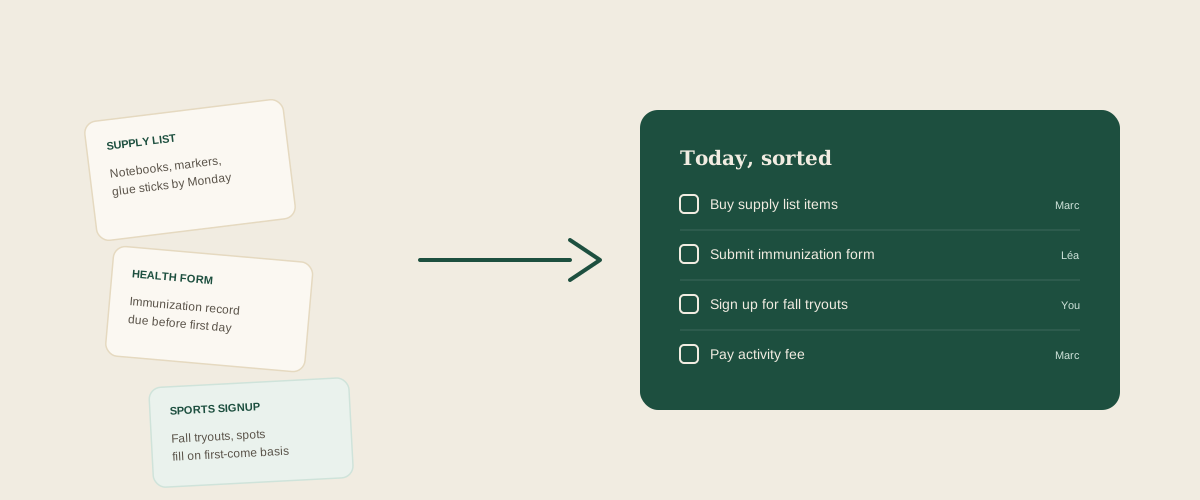
A typical two-week stretch might include a headcount request from the caterer, a deposit invoice from the venue for a different event, a delivery-time change from a florist, and a final balance buried in a contract email from a DJ. Read by hand, each one requires opening it, deciding what it means, and remembering to act on it separately. Forwarded instead exactly as it arrived (the email, a photo of the contract, a screenshot of a text), each becomes its own task on a shared board: confirm the headcount by a date, pay the venue deposit, confirm the new delivery window, pay the DJ's balance, each one visible to the whole team and assignable to whoever is actually free to handle it that day.
Common mistakes during peak season
Starting a brand-new tracking system right when the volume is highest, which adds the overhead of learning a new tool during the busiest weeks instead of the calmest ones. Assuming a single date (the wedding day) covers everything, when deposits, headcounts, and final payments each have their own separate deadlines that don't line up with the date everyone's actually thinking about. Handling every vendor the same way when one sends email and another only texts, so half the information never even makes it into whatever system was set up expecting email only.
Where to start
Peak season isn't a planning problem, it's a reading problem compressed into a few crowded months. The fix isn't a better checklist to fill in by hand, it's a way to forward whatever shows up (an email, a photo of a contract, a text screenshot) exactly as it arrived, so the deadlines and deposits get pulled out and placed on a shared board without any one team member having to be the one who reads and retypes all of it during the busiest stretch of the year.
Frequently asked questions
How far in advance should I start tracking peak-season vendor deadlines?
As soon as the first contract or invoice arrives, rather than waiting for a date you picked in advance. Vendors send this material on their own schedules, and a deposit deadline can arrive well before the busy season officially starts, so the tracking needs to begin the moment something lands.
What if a deadline comes as a text instead of email?
A screenshot of the text works the same way as forwarding an email: it's still the original message, unsummarized, and it can be read and turned into a task the same way. The format something arrives in shouldn't determine whether it gets tracked.
How do I handle deadlines for several events without mixing them up?
Each forwarded message can be assigned to the event and the coordinator handling it, so a deposit for one wedding and a headcount for another sit on the same shared board without getting confused, as long as whatever tool you're using keeps that context attached to the task rather than dropping it.
Is this only useful during peak season, or year-round?
The same pattern, a burst of emails, contracts, and invoices arriving faster than one person can read and manually enter them, shows up again around holiday events and any stretch with several concurrent bookings. Peak season is just the most concentrated version of a problem that recurs all year.
Get your studio address, free
Get your studio address
