How to Track Client Approvals on Vendor Proofs and Mockups So Nothing Gets Printed Unapproved
1 October 2026 · 6 min read
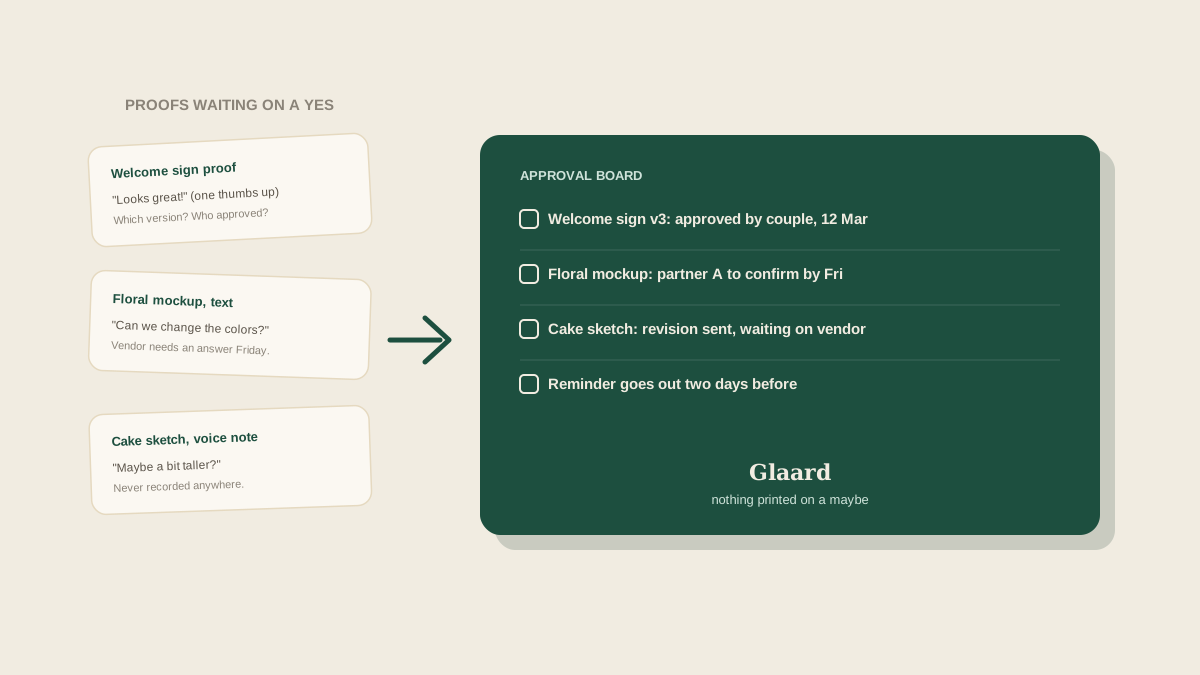
A stationer sends a proof of the welcome sign on a Monday. The planner forwards it to the couple, one of them replies "looks great!" with a thumbs up, and the planner tells the stationer to go ahead. Three weeks later the signs arrive with the venue's old name on them, because the other half of the couple had mentioned in a separate text that the venue wording needed to change. Nobody was careless. The approval simply existed in four places at once, and the vendor acted on the first one that sounded like a yes.
Proofs and mockups are one of the quietest sources of expensive mistakes in event planning. Every one of them is a small decision with a deadline attached: the vendor needs a sign-off by a certain date to hit their production schedule, and after that date, changes cost money or are simply not possible. Here is how to keep that sign-off visible, specific and tied to a named person.
Why approvals slip through
The first problem is that an approval is not one event. A proof goes out, comments come back in pieces, a revised proof goes out, and somewhere in that chain someone says yes. By the end there can be three versions of the same file in an inbox and no clear record of which version was actually approved, by whom, and when.
The second problem is that approvals arrive through whatever channel the client prefers. A text, a voice note, a comment on a shared link, a reply to an email the planner was only copied on. A studio that handles a dozen events at once ends up with approvals scattered across every channel, and the vendor, who just wants a clear go-ahead, gets a vague one.
The third problem is timing. Vendors set a proof deadline for a reason: print slots, flower orders and bakery capacity are booked against it. A proof that sits unanswered for a week quietly eats the time the vendor needed, and nobody notices until the vendor writes to say the slot is gone.
Treat every proof as a task with three fields
The simplest fix is to stop treating a proof as a message and start treating it as a task. Each one gets three pieces of information attached: the deadline by which the vendor needs an answer, the person who has authority to approve it, and the version being approved. That sounds like a lot, but it is a single line per item, and it answers the three questions that cause nearly every approval mistake: by when, from whom, and what exactly.
The "from whom" matters more than people expect. In many weddings, one partner owns the stationery and the other owns the flowers, or a parent is paying for a particular item and expects a say. Writing the approver's name next to the proof prevents the situation where the planner assumes the wrong person said yes, and it tells the whole team who to chase when the deadline gets close.
Record the approval where the vendor details live
When a client approves, capture it in the same place as the rest of that vendor's information: the approved version, the date, and the person who approved it. A one-line note such as "Welcome sign v3 approved by the couple on 12 March, venue name corrected" is enough. The point is that anyone on the team who is asked "did we approve that?" can answer in ten seconds without searching a text thread.
Chase before the vendor has to
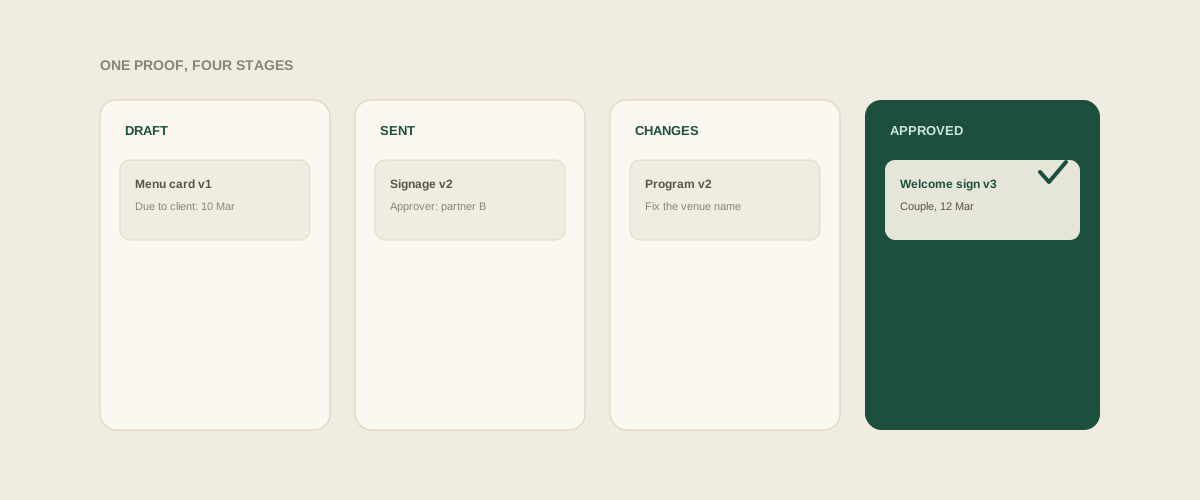
Because every proof has a vendor deadline attached, you can work backwards. If the vendor needs an answer by the 20th, the client gets the proof on the 10th with a clear request: "Please confirm by the 15th so we have a few days to fix anything." A reminder two days before that date goes out automatically, or goes onto the planner's list, rather than depending on someone remembering. The vendor never has to ask where the sign-off is, because it was already being chased.
It also helps to give clients a way to answer that does not need interpreting. Asking "Approved as shown, or changes needed?" gets a cleaner reply than "What do you think?" and makes it far less likely that a casual compliment gets mistaken for a green light.
Handle changes after approval deliberately
Sometimes a client changes their mind after saying yes. When that happens, the old approval should not quietly stay in force. Mark it as superseded, send the vendor the new request in writing, and confirm that the vendor can still accommodate it, because a late change may carry a fee or a delay. The task stays open until the vendor confirms the revised version, which stops two competing approvals from coexisting.
Common mistakes
Treating a reaction emoji as an approval. Forwarding a proof without saying which decision is needed or by when. Letting the vendor work from a verbal go-ahead. Not noting which version was approved when several revisions exist. And collecting approvals in the planner's personal inbox, so that if they are out sick the day a vendor asks, nobody else can answer.
Where to start
For your next event, list every item that needs a client sign-off: invitations, signage, menus, floral designs, cakes, programs, anything with a proof or mockup. Put a deadline and an approver next to each. As approvals come in, record the version and date in one shared place. By the time production starts, every item should show a clear, dated yes from the right person, and the vendor should be working from that and nothing else.
Frequently asked questions
What counts as a real approval from a client?
A clear written yes to a specific version, from the person who has the authority to decide. A thumbs up on a forwarded message or a vague compliment is not enough. Asking "approved as shown, or changes needed?" makes the answer unambiguous and easy to record.
How far ahead of the vendor deadline should a proof go to the client?
Leave enough room for at least one round of changes, which is often five to ten days. Set the client's reply date a few days before the vendor's deadline so a revision does not push the order past its production slot.
What should we do when two people in the couple disagree on a proof?
Ask who owns that item and treat that person's answer as the approval, noting it in writing. If the decision genuinely needs both of them, send a single request to both with one deadline, so the vendor receives one consolidated answer instead of two conflicting ones.
Do we need to track approvals for small items like place cards?
Yes, if a vendor will produce something with names, dates or wording on it. Small printed items are exactly where a typo or an outdated detail slips through, and they are cheap to track because the entry is one line with a date and an approver.
Get your studio address, free
Get your studio address
