4 Ways Studios Show Clients Where the Wedding Timeline Stands (And Where the Client Still Works From an Old Copy)
26 October 2026 · 6 min read
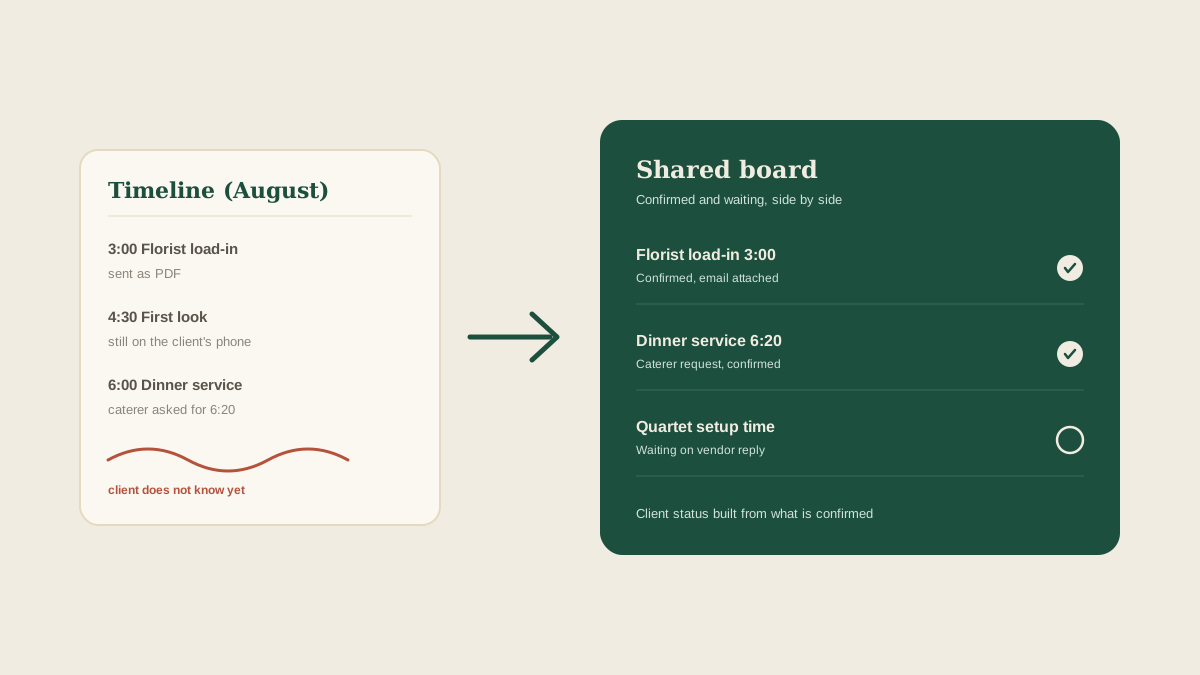
Sooner or later every couple asks the same thing: can I see the timeline? It is a reasonable request. They are paying for a day that runs on a schedule, and they want to know that the 4:30 first look, the 6:00 dinner, and the 9:15 send-off are real times that real vendors have agreed to.
The harder question is what the client should be looking at. A timeline is not one fixed document. It moves every time a vendor confirms a load-in window, the venue shifts a sunset, or the caterer asks for twenty extra minutes. If the client sees a copy that is two weeks old, they make plans around it: they tell their parents when to arrive, they book the hair appointment, they promise the grandmother a seat at a time that no longer exists. Here are four ways studios share timeline visibility, and where each one leaves the client with the wrong picture.
1. Email the timeline as a PDF after each revision
This is the default. The planner finishes a revision, exports a PDF, and emails it to the couple with a note about what changed.
It is clean and the client has a real file they can print. The weakness is that every PDF is a snapshot. The moment a vendor changes something, the attached copy is out of date, and the client has no way to tell. Couples also keep several versions in their inbox and open the wrong one. A parent forwards the version from August to the wedding party in October. Nothing about the file says it has been replaced.
2. Share a live document or spreadsheet link
To avoid stale copies, some studios give the client a link to a shared timeline document that the planner keeps current. The link never changes, so the client always has the latest.
That solves the staleness, but it creates a different problem: the client sees everything, including the draft. A line marked tentative, a vendor still waiting on a reply, a note the coordinator typed for the team all sit in plain view. Clients read a pending 3:00 load-in as a confirmed one, and then ask why it moved. The document also depends on someone updating it after each vendor reply, and in a busy week that update trails behind the inbox by days.
3. Walk the client through it on a call
Many planners prefer to go through the timeline live, on a monthly call or at the final meeting. The client hears the reasoning, asks questions, and leaves with a shared understanding.
A call is valuable, but it only captures one moment. Two days later a vendor changes their arrival and the client's understanding is wrong again. Calls also leave the follow-up to memory: the planner says they will confirm the string quartet's setup time, and that promise lives in their head or in a handwritten note. The client assumes it is handled. If it is not tracked anywhere, the next time the client hears about it is when they ask.
4. Keep confirmations on the shared board and send the client a status from it
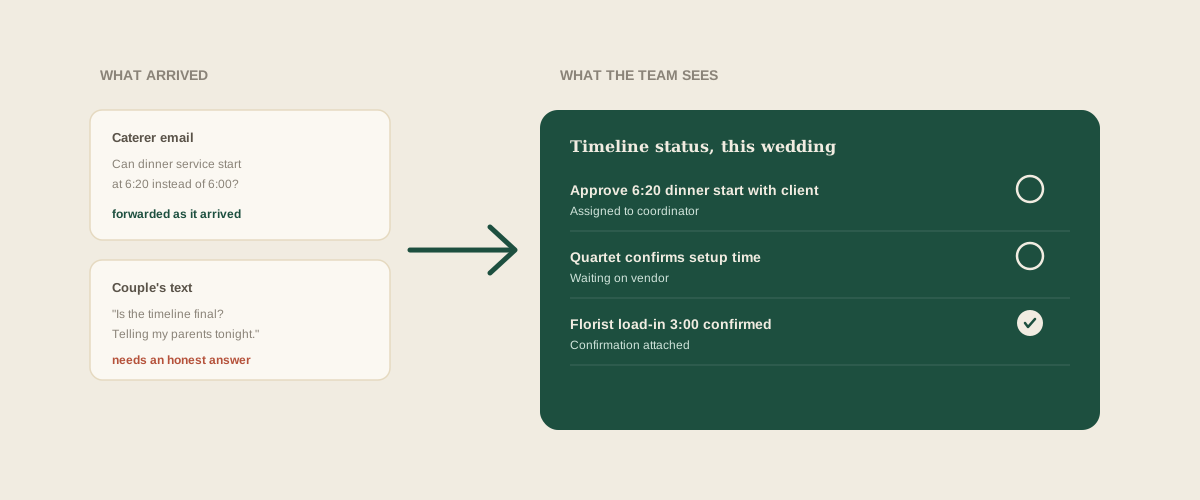
The fourth approach starts from where the timeline actually changes: the vendor messages. Every confirmation, delivery window text, and revised arrival gets forwarded exactly as it arrives to the studio's shared Glaard address. Glaard reads it and puts the task on the shared board for that wedding: caterer confirms 3:30 load-in, marked confirmed, with their email attached. If the reply is vague, the board shows it as waiting.
Now the studio has a truthful picture to draw from. Items that are confirmed, items still waiting on a vendor, and items waiting on the client are visibly separate. The planner can send the couple a short status that says what is locked and what is not, instead of a full timeline that pretends everything is settled. Nobody has to retype a vendor's reply into a document, and the status is only as old as the last forwarded message.
This approach has limits as well. The board tracks what has been forwarded to it, so a time agreed in a hallway conversation still needs someone to note it. And Glaard does not decide what the client should see. The planner still chooses which items to share and how to phrase them. What changes is that the choice is made from current information instead of memory.
What a client actually needs to see
Most clients do not need every line. They need three things: the times that affect them personally, which of those are locked, and what is still open and who is holding it up. A good status separates confirmed from pending in plain words, so a pending time is never mistaken for a promise.
It also helps to tell the client how updates will reach them. If they know a status goes out every Friday, they stop texting midweek to ask whether anything has changed.
Where to start
Open the timeline for your next wedding and mark each time as confirmed in writing, verbally agreed, or assumed. Anything in the last two groups is a line you should not show a client as fact. Forward the vendor emails behind the confirmed ones to your shared address, and see which times have no message behind them at all.
Frequently asked questions
Should clients see the full internal timeline?
Usually not. Share the times that affect them and mark which are confirmed and which are still pending. Internal notes, vendor quirks, and backup plans belong with the team, not in the client's copy.
How often should we update a client on the timeline?
A set rhythm works better than ad hoc updates. Many studios send a short status weekly during the final two months and every few days in the last two weeks, plus an immediate note if a time the client cares about changes.
What if a vendor changes a time right after we sent the client an update?
Forward the vendor's message to your studio address so the change lands on the board, then tell the client which time moved and why. Keeping the vendor's email attached makes that conversation short.
How does Glaard help with client timeline visibility?
Glaard reads the vendor emails, texts, and screenshots you forward and turns them into tasks on one shared board, marked confirmed or waiting. You can then build a client status from what is actually confirmed, without retyping anything.
Get your studio address, free
Get your studio address
