How to Track Guest Shuttle and Transport Details Across the Hotel, Venue and Driver Without a Missed Pickup
2 November 2026 · 6 min read
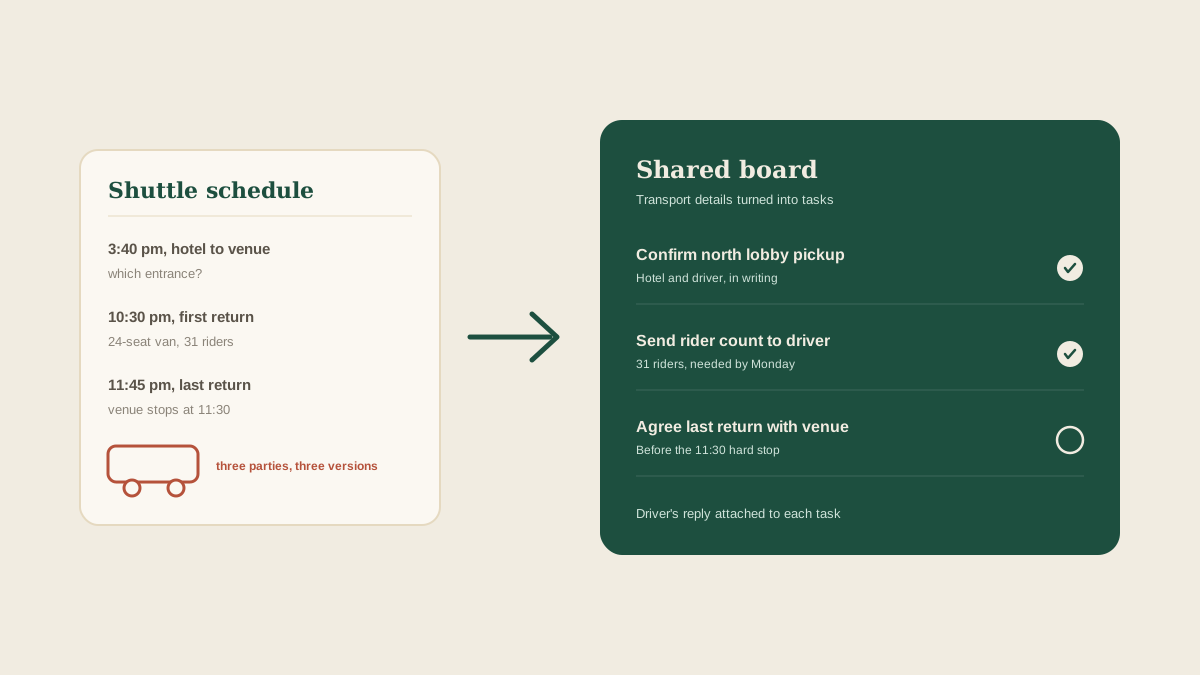
Guest transport looks simple on paper: a shuttle runs from the hotel to the venue before the ceremony and back after the reception. In practice it involves at least three parties who rarely talk to each other. The driver or transport company, the hotel front desk, and the venue's gate or parking contact all hold one piece of the plan, and the couple holds the headcount.
When something goes wrong, it is rarely dramatic. A shuttle arrives at the wrong hotel entrance. A second bus was never booked because the guest count crept up. The last return trip leaves twenty minutes before the dance floor is full. Each of those traces back to a detail that was sent once, in one message, to one person.
List every leg, not just the booking
A booking confirmation usually says "shuttle service, Saturday". That is not a plan. Break it into legs: hotel to venue before the ceremony, venue to hotel after dinner for the early leavers, final return at the end of the night, and any airport or rehearsal runs earlier in the weekend.
For each leg you need a pickup time, a pickup location, a drop-off location, the vehicle size, and who is responsible for the headcount. Write those five things down for every leg. If the driver's confirmation does not list them, that is your first follow-up.
Get the pickup point in writing from the hotel
Hotels have more than one entrance, and a driver following a map pin will pick the nearest one. Ask the front desk or events contact which door the shuttle should use, whether there is a loading zone, and whether a guest can wait inside. Then make sure the driver has the same answer.
This is the most common place for two vendors to hold different information, and neither one is wrong. It simply never got compared. A single line on your board, "pickup at the north lobby entrance, confirmed by hotel and driver", ends the guessing.
Tie the vehicle count to the guest count
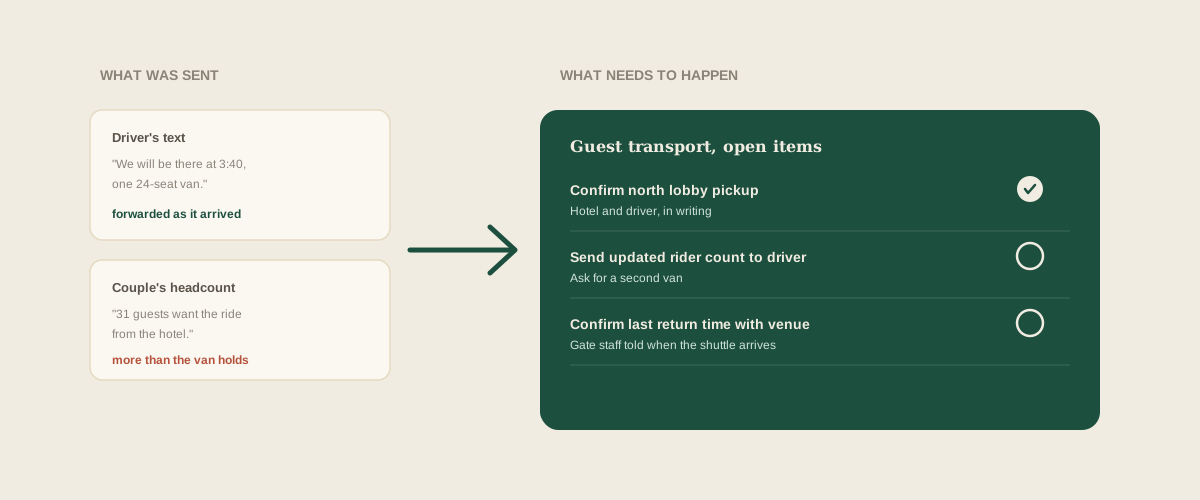
Capacity is the quiet problem. A 24-seat van is fine for 20 guests and wrong for 31. Each time the couple's headcount changes, the number of guests who want a ride changes with it, and the transport company needs to hear that before their schedule is full.
Ask the couple for an opt-in count rather than assuming everyone from the hotel block will ride. Put the number and the date it was last updated on the board, and add a task to send the transport company any change.
Pass the driver's messages straight to the board
Drivers often reply by text, and the replies are short: "Got it, we will be there at 3:40." That text is a confirmation, and it needs to land where the team can see it, not in one person's phone.
Forward the driver's email, the hotel's reply and a screenshot of any text exchange to the studio address. Glaard reads them and pulls out the actionable pieces: the pickup time to confirm, the rider count the company needs by a certain date, the return time the venue still has to agree to. They appear on the wedding's shared board as separate tasks, with the original message attached, so a coordinator covering the weekend sees what was actually said.
Check the return trips against the venue's end time
The last shuttle has to leave after the last song and before the venue's hard stop, and those two times are controlled by different people. Compare the transport company's final return time with the venue's load-out and noise cutoff. If the music ends at 11:00 and the last shuttle leaves at 10:30, the couple's guests will be calling rideshares.
Add a task to confirm the final return time with the driver in writing, and a second one to tell the venue contact when the shuttle will be arriving to collect guests so the gate or parking staff are ready.
Give the day-of coordinator a single transport block
On the wedding day, your coordinator does not need the full email thread. They need one block: each leg, the pickup time and place, the vehicle, the driver's name and phone number, and who at the hotel to call if a guest is missing.
Build that block from the confirmed tasks on the board, not from memory. If any line still shows an open question, resolve it the day before, while the driver can still answer.
Where to start
Take the next wedding that includes guest transport. List each leg, then mark which of the five details (time, pickup location, drop-off location, vehicle size, rider count) are confirmed in writing. Any blank is a task, and the driver or hotel is the person to ask.
Frequently asked questions
Who should confirm shuttle pickup times with the driver?
One named person on the team, ideally the coordinator who will be on site that weekend. Confirm each leg in writing and attach the reply to the task, so nobody has to rely on a phone call that no one else heard.
How far ahead should the final rider count go to the transport company?
Check the contract, but a week out is a safe default, with a second check two or three days before. Add the date to the board so a late change from the couple does not slip past.
What if the hotel and the driver disagree on the pickup spot?
Treat it as a task. Ask the hotel which entrance is correct, send the answer to the driver, and get their reply confirming it. Keep both messages on the board.
How does Glaard help with guest transport?
Forward the driver's confirmation, the hotel's reply and any text screenshots to your studio address. Glaard reads them and turns pickup confirmations, rider counts and return times into tasks on the wedding's shared board, with the original messages attached.
Get your studio address, free
Get your studio address
