How a Lead Planner Can Review a Coordinator's Vendor Work Without Redoing It
20 October 2026 · 6 min read
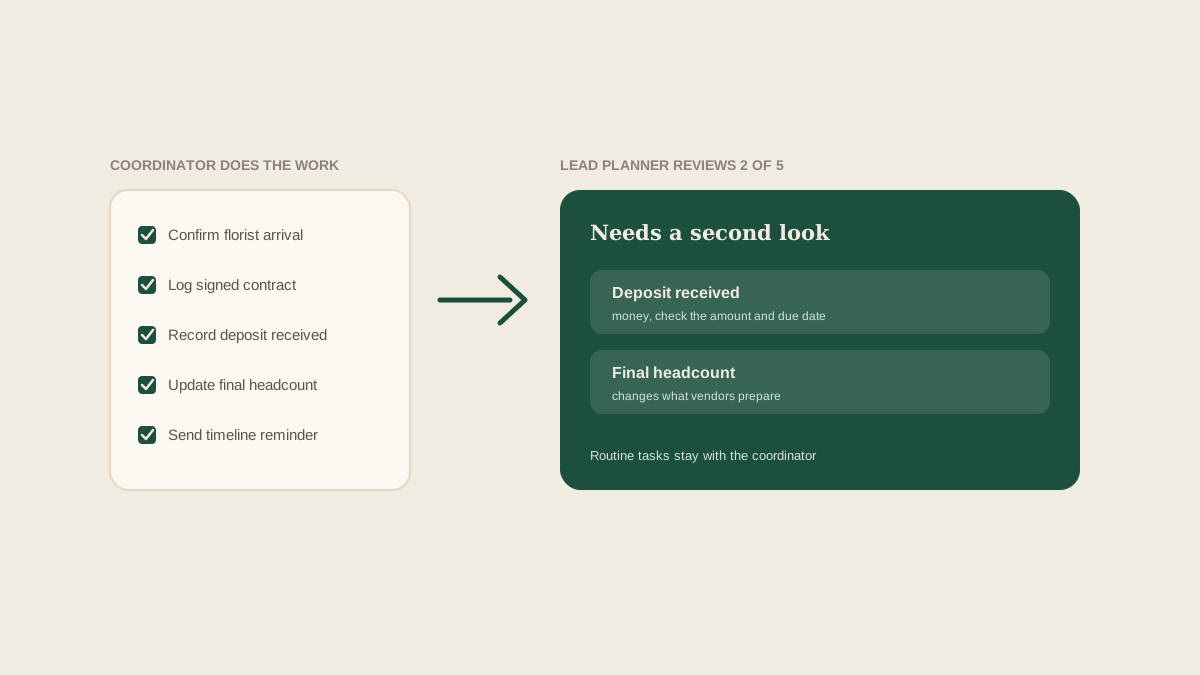
Most lead planners eventually reach the same uncomfortable point. You have handed vendor tasks to a coordinator so you can stop carrying everything, and then you find yourself quietly rechecking all of it at night. The work is delegated on paper and still in your head in practice.
That second pass is understandable, because the cost of a mistake lands on the studio. But if you recheck everything, you have not delegated anything. You have added a coordinator and kept the full workload.
The way out is not blind trust, and it is not total oversight. It is a deliberate review that looks at the few places where mistakes are expensive, and leaves the rest alone.
Separate the work that needs review from the work that does not
Not every vendor task carries the same risk. Confirming a delivery window with a florist is easy to fix if it goes wrong. Approving a changed contract amount or a revised final headcount is not.
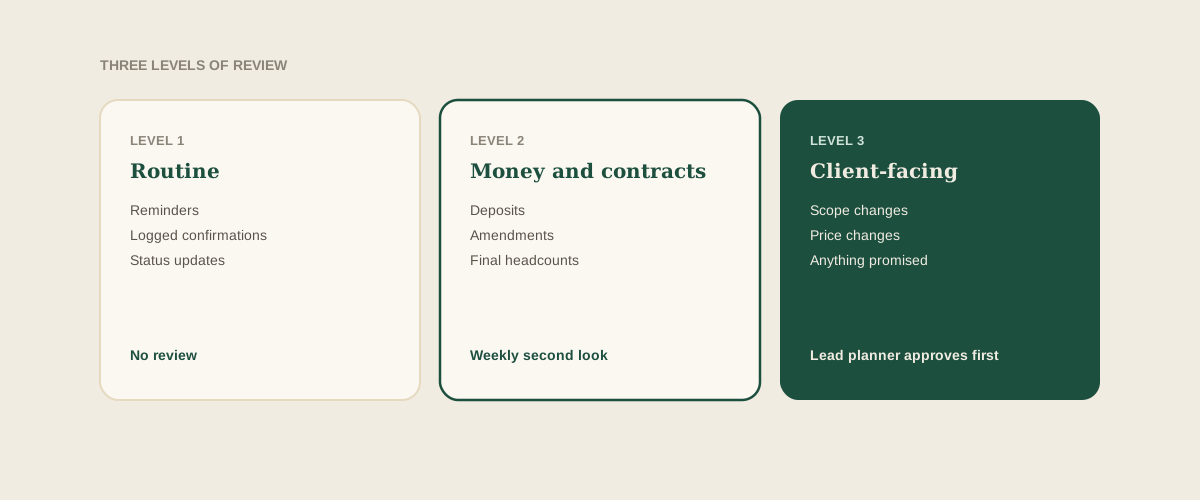
A useful split is three levels. Routine tasks, such as sending a reminder or logging a confirmation, need no review. Tasks with financial or contractual effect, such as deposits, amendments and headcounts, get a second pair of eyes. And anything that changes what the client was promised goes through the lead planner before it is sent.
Write those levels down once. It turns "can I trust you with this?" into a rule that applies equally to everyone.
Review outcomes, not activity
The instinct is to check what the coordinator did: read the emails they sent, reread the thread. That is slow, and it makes the coordinator feel watched.
Review the state of the board instead. For each vendor, is the deposit status right, is the arrival window confirmed, is the latest contract the one on file, is any question still waiting on a reply? If the board says the work is done and the board is correct, the process behind it matters less.
Make the board the source of truth
This only works if the board reflects reality. If the real status lives in the coordinator's inbox and the board is a rough summary, you will be pulled back into reading email to check anything.
The goal is a board that updates as a side effect of the work. When a vendor emails a confirmation, a signed contract or a payment receipt, the coordinator forwards it to the studio address and Glaard turns it into the matching task update. The record then exists because the email existed, not because someone remembered to write it up.
Use a short weekly review, not a daily one
Daily check-ins create the exact load you were trying to remove. A fifteen-minute weekly review per upcoming wedding is usually enough, provided it is structured.
Go through the items that were marked done this week at the second and third levels only. Ask three things: is the evidence on the board, is anything due in the next fourteen days that has no owner, and is anything waiting on someone who has not replied? Anything routine can be skipped entirely.
Spot-check, and tell the coordinator you are doing it
Alongside the weekly pass, pick one or two routine items at random and compare them to the source email. The point is not to catch the coordinator out. It is to keep the board honest and to find habits worth correcting early.
Say this openly. A coordinator who knows a sample will be checked tends to be more careful with the details, and one who knows why will not read it as distrust.
Give feedback on the pattern, not the instance
When you find an error, resist fixing it silently. A silent fix teaches nothing and means you will fix the same thing next month.
Instead, name the pattern: "deposit confirmations are being logged, but the due date for the balance is missing." That is something a coordinator can change in their routine. A single corrected row is not.
Widen their authority as trust grows
Review should shrink over time. After a few weddings with no problems in a category, move that category down a level. A coordinator who has handled fifty deposit confirmations cleanly no longer needs each one checked.
It helps to be explicit about this. Telling someone "you own vendor payments from now on, and I will look at the monthly summary" is a clear promotion of responsibility. It also gives the coordinator a reason to care about quality.
Know what to look for in your own behavior
If you find yourself rereading threads the board already summarizes, ask what you do not trust: the coordinator, or the board? The answer tells you what to fix. If it is the board, improve how updates reach it. If it is the person, have a direct conversation instead of building more checks.
Where to start
Take your next upcoming wedding and sort its vendor tasks into the three levels. Then plan one fifteen-minute review that covers only the top two. Notice how much less you need to look at than you expected.
Frequently asked questions
How often should a lead planner review a coordinator's vendor work?
A short weekly review per upcoming wedding is usually enough, focused on tasks with financial or contractual effect. Daily checks tend to recreate the workload you delegated.
Which vendor tasks should always get a second review?
Deposits and payments, contract amendments, final headcounts, and anything that changes what the client was promised. Routine reminders and logged confirmations rarely need it.
How do we review without reading every email?
Review the state of the shared board rather than the activity behind it. If the board shows current statuses with the supporting emails attached, you can check outcomes quickly.
How does Glaard help with this?
When the coordinator forwards vendor emails to your studio address, Glaard turns them into task updates on the wedding's shared board, so the lead planner can review current statuses without opening anyone's inbox.
Get your studio address, free
Get your studio address
