How to Track Multiple Weddings' Vendor Deadlines Without Mixing Up Whose Deposit Is Whose
6 August 2026 · 6 min read

With one event on the calendar, keeping track of vendors is mostly a volume problem: read the emails, note the dates, done. Add a second or third concurrent wedding and it stops being just more of the same thing. It becomes a different problem, because now every piece of incoming information has to get attached to the right event before it's useful at all. A task with no event name on it, or worse, the wrong event's name on it, isn't really tracked.
Why more events isn't just more volume
With one event, there's only one caterer, one venue, one timeline. If a detail is fuzzy, context fills in the gap automatically because there's nothing else it could be. With two or three weddings running across different venues, dates, or vendor teams, that shortcut disappears. A message about "delivery moving to Thursday" could mean either event's florist, and a deposit invoice could belong to either couple's contract. Before a task is useful to anyone, it needs a second piece of information attached: not just what needs doing, but which event it's for.
The mixing-up problem is different from the forgetting problem
This isn't the same failure as simply forgetting something. It's a quieter, easier mistake: reading three emails back to back at nine at night, one from one event's caterer about a headcount, one from another event's venue about a final walkthrough time, one from a third event's florist about a delivery change, and getting the details right for each while getting tired and typing fast enough that the event attached to the task slips. The task makes it onto the board. It just doesn't say which event it's for, or worse, it says the wrong event, which is arguably harder to catch than a task that's simply missing.
Why "just be more careful" doesn't scale
Being careful works fine at low volume, one event, the occasional message, plenty of attention to spare for double-checking. The number of message-to-event assignments a planner makes doesn't grow in a straight line as more events get added, it multiplies, because each additional event brings its own venue, its own vendors, its own group chat, all arriving in the same inbox and needing to be sorted correctly every single time. Asking a tired planner to be more careful at 9pm with a fourth event's messages in the mix isn't a fix, it's just hoping the mistake doesn't land on a night that matters.
A worked example
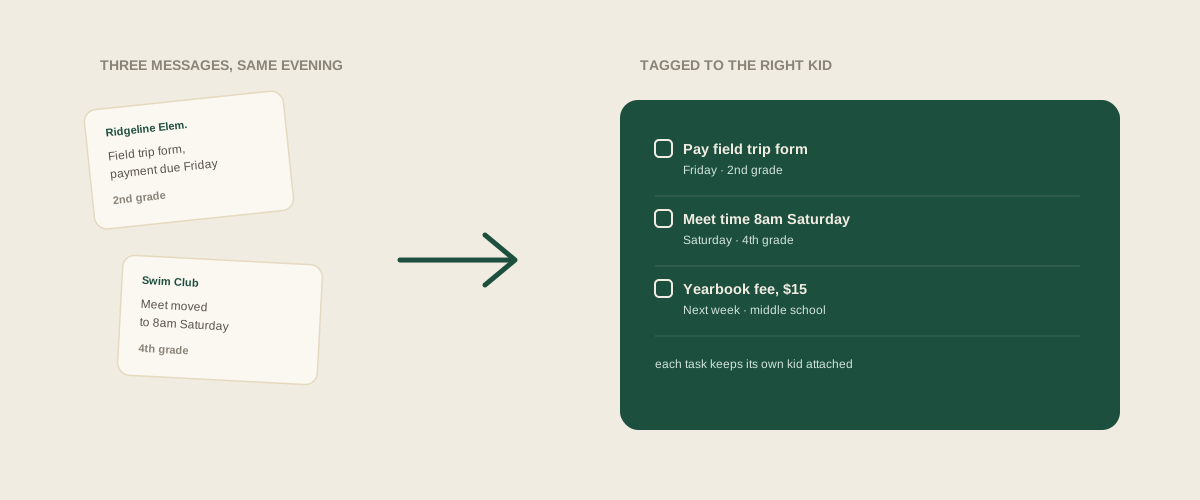
A typical evening might bring three unrelated messages: an email from a caterer about one couple's final headcount due Friday, a text from a venue about another event's walkthrough time changing to 8am Saturday, and a contract update from a florist asking for a $200 balance on a third couple's order. Read and typed by hand, a planner has to get the event right for all three while also getting the date and amount right, and it's exactly the kind of task where the event name is the first detail to get dropped under time pressure, leaving "pay $200 balance" on a board with no indication of which wedding it belongs to. Forwarded instead exactly as each message arrived, the venue name, couple's name, and date already sitting in the message itself give enough context to keep each task correctly attached: headcount tagged to the first couple, walkthrough tagged to the second, florist balance tagged to the third, all three sitting on one shared board where any coordinator can tell at a glance whose is whose without reopening a single original message.
Common mistakes
Running one shared task list with no event attached to each task, so everything blurs together and answering "what does this Saturday's wedding still need" means rereading the whole board line by line. Assuming whoever reads a message will remember which event it's about by the time they get around to writing it down later, when in practice that gap between reading and recording is exactly where the mix-up happens. Splitting into a separate list or spreadsheet per event to avoid the mix-up, which does keep each event's tasks distinct but quietly rebuilds the same problem the split-by-event approach runs into with a team: whoever wants the full picture across every event at once now has to check several places instead of one.
Where to start
The fix isn't a firmer rule about double-checking event names before you hit save. It's removing the step where an event has to be manually remembered and typed at all. Forward the vendor email, the contract, or the photo of the invoice exactly as it arrived, and let whatever's doing the sorting pick up the event-identifying detail that's already sitting in the message itself, the couple's name, the venue, the date, the same way a person would if they read it carefully. The number of concurrent events stops being the thing that makes the system harder to trust.
Frequently asked questions
How does a task get tagged to the right event if the message doesn't literally name the couple?
Most vendor messages carry enough context on their own: the sender is a specific vendor with a specific contract, the subject line often names a date or venue, and the content usually makes clear which event it applies to. That context is exactly what has to be read carefully to assign a task correctly, which is the same reading and deciding step that causes the mix-up in the first place when it's rushed.
What if two events use the same venue and get very similar emails?
That's the hardest version of this problem, and it's worth checking carefully with your own studio's real messages before trusting any system with it. Often the date, couple's name, or contract number mentioned in the message is what actually distinguishes them, so the detail is usually present, it just requires reading closely enough to catch it.
Does this help if different coordinators own different events?
Yes, in the sense that a shared board tagged by event means whichever coordinator owns a given wedding can see exactly what's relevant to it without combing through tasks that belong to a different event on someone else's list. The tagging matters more, not less, once ownership is split across the team, because there's no shared physical folder where a paper contract can fill the gap.
Is manually tagging each task with an event name good enough, or does something have to change?
Manually tagging works fine if it actually happens every time, but it's the same manual step that gets skipped or fumbled on a busy night, which is when the mix-up shows up. The more reliable fix is having the tag applied automatically from the message's own content as it's read, so a tired planner isn't the last line of defense against a task landing under the wrong event.
Get your studio address, free
Get your studio address
