How to Get a Revised Floor Plan to Every Vendor Who Needs It (And Know They Saw It)
5 October 2026 · 6 min read
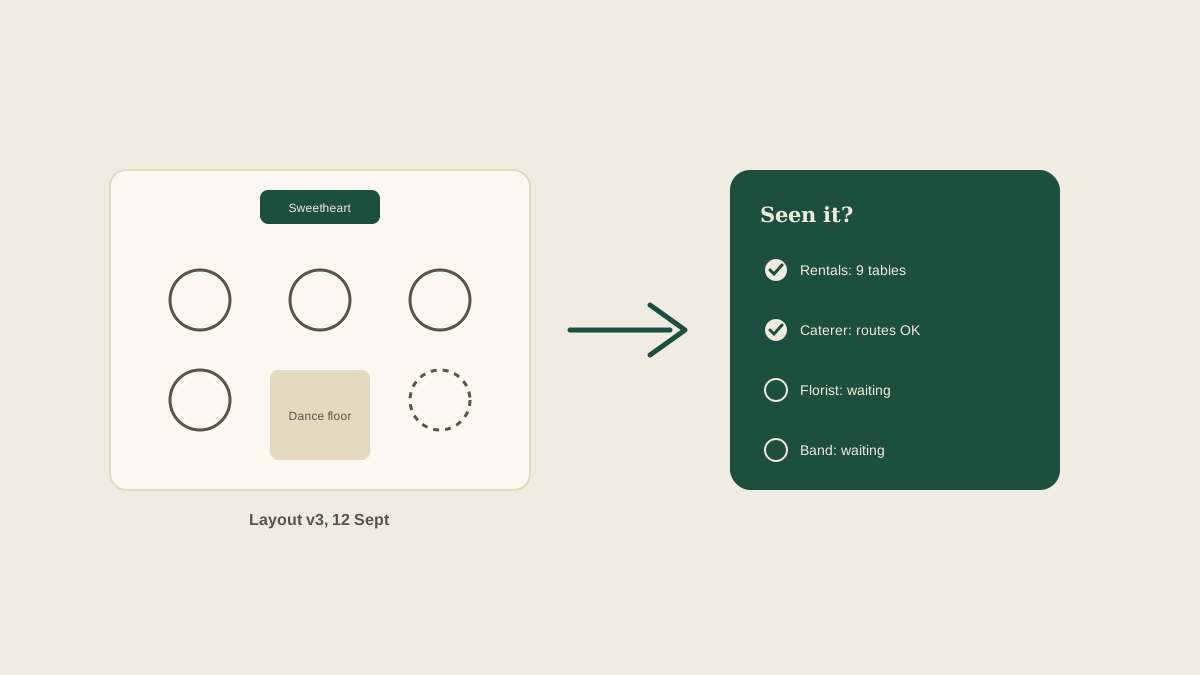
The floor plan is rarely final when it is first drawn. A table moves to make room for a dance floor, the head table becomes a sweetheart table, the couple adds a cocktail area at the last minute. Each change matters to someone different. The rental company needs table counts, the caterer needs the service routes, the florist needs to know where the centerpieces go, and the band needs to know where the stage sits relative to the outlets.
The trouble is not drawing the new version. It is making sure each vendor is working from it. A florist who built twelve centerpieces for twelve tables when the plan now has ten is a small, expensive mistake that comes from one missing email.
Why revisions get lost
Floor plans move through the same channels as everything else: a PDF attached to an email thread, a screenshot in a group text, a link in a message from the venue. When version three goes out, versions one and two are still sitting in those threads. Vendors reasonably open whichever attachment they find first. There is also rarely a record of who was sent what, so a planner cannot tell on Friday which vendors have seen the latest layout.
Give every version a name and a date
Start with a plain rule: no file called "floor plan final." Name each version with a date or a number, such as Layout v3, 12 Sept, and put that same label in the subject line of every email that carries it. When a vendor replies "I have the layout," you want to know which one. If the venue also keeps its own version, note that clearly and decide which is the source of truth.
List which vendors depend on the layout
Not everyone needs every change. Make a short list per version of who is affected. Rental company: table count and chair count. Caterer: kitchen access and buffet or station positions. Florist: table numbers and any ceremony-to-reception flip. Band or DJ: stage position, power, and dance floor size. Photographer: the head table and any areas for portraits. Lighting: uplight positions. Sending a vendor only the part that concerns them, with a one-line summary of what changed, makes it far likelier they read it.
Say what changed, not just what is attached
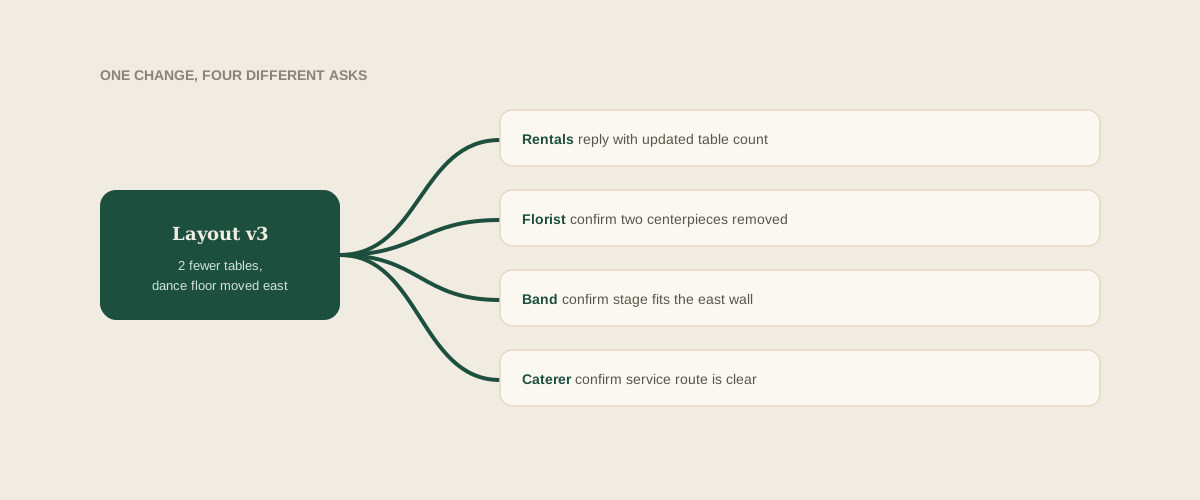
A new PDF forces every recipient to compare it against the old one and guess the difference. A single line saves them the effort: "Two fewer round tables, sweetheart table replaces the head table, dance floor moved to the east wall." That sentence is also what you can reuse as a task on your board: confirm rental count reduced by two tables, confirm florist has removed two centerpieces.
Ask for a specific confirmation
"Let me know if you have questions" invites silence. Ask for something that proves the plan was read: "Please reply with your updated table count" or "Please confirm the stage will fit against the east wall." A reply with a number in it tells you the vendor opened the file and compared it. A bare "thanks" tells you almost nothing.
Track acknowledgements as tasks
Every revision creates a small set of follow-ups, one per affected vendor. On a shared board, each of these becomes a task with an owner and a due date: florist to confirm centerpiece count by Thursday, rentals to confirm updated order by Friday. If you forward the vendor's reply into the studio inbox when it arrives, the task closes itself against the right wedding and the right version. Anything still open two days after you sent the layout is the one to chase.
Handle late changes carefully
Changes in the final week are where the damage happens, because vendors may already have loaded their trucks. For these, call rather than email, and then follow up in writing. Say clearly what has changed and ask whether it is still possible. If it is not, you want to know that on Wednesday and not in the parking lot on Saturday.
Bring the final version on the day
Print the final layout, labeled with its version and date, and bring a few copies for the day-of coordinator and the venue manager. If a vendor arrives with a different version, you can compare the labels in seconds and settle it before anything is set up.
Where to start
For your next wedding, pick the layout that is closest to final and write down which vendors depend on it. Send each of them the version label, a one-line summary of what changed, and a request for a specific confirmation. Track the replies as tasks. Do that for one event and you will already see which vendors tend to answer quickly and which need a second nudge.
Frequently asked questions
Which vendors need the floor plan?
Typically the venue, rental company, caterer, florist, band or DJ, lighting, and photographer. Each needs a different part of it, so send a short note on what affects them rather than assuming they will read the whole layout.
How do we stop vendors using an old version?
Label every version with a number and date, repeat the label in the email subject, and ask each vendor to reply confirming which version they are working from. Retire old versions by saying so in the message.
When is it too late to change the layout?
It depends on the vendor, but rental orders and floral builds often lock one to two weeks out. Ask each vendor for their cutoff early and put those dates on your board so a late request can be checked against them.
Should we send the floor plan as a PDF or an image?
A PDF is safer because it keeps the scale and can be printed. Add the version label and date in the file name and on the page itself, so it is clear even when forwarded.
Get your studio address, free
Get your studio address
