Four Ways Studios Keep Weddings and Other Private Events From Colliding on the Same Vendor Board (And Where Each Still Slips)
3 September 2026 · 7 min read
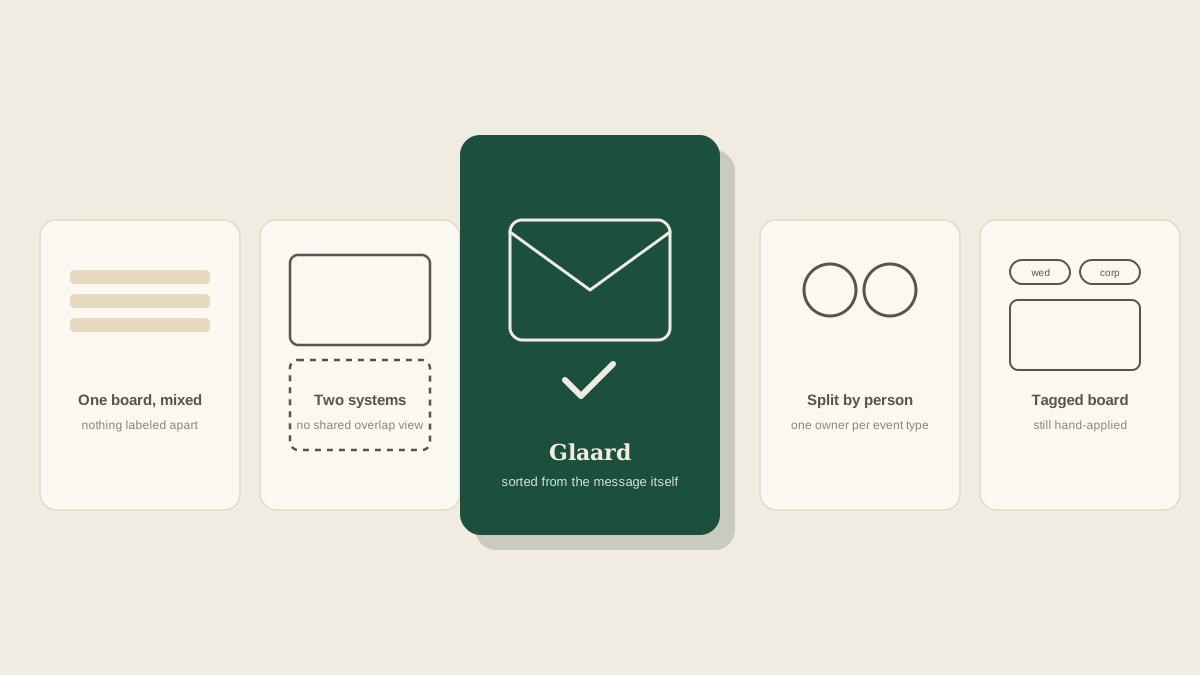
A studio that only runs weddings has one kind of calendar to manage. A studio that also takes on anniversary parties, corporate holiday mixers, or a milestone birthday between weddings has a second problem layered on top: making sure a Tuesday-morning corporate breakfast's vendor details don't get mixed in with Saturday's wedding, or worse, don't get lost entirely because the studio's whole system was built with weddings in mind. Here's how studios usually handle running both kinds of events at once, and where each approach still lets something slip.
One board, no separation
The simplest option is also the most common by accident: everything lands on the same board, wedding and non-wedding events alike, distinguished only by whatever the person entering the task remembers to note. This works fine while the studio is mostly doing weddings with the occasional private event tucked in. It breaks down the moment two events land in the same week, because a task with no clear event label reads exactly like every other task, and a coordinator scanning the board for what a corporate client's Friday breakfast still needs has to mentally filter out every wedding-specific item first.
A completely separate system for non-wedding events
Some studios go the other direction and keep corporate or private events in a different tool entirely, reasoning that they're different enough in structure, no aisle, no seating chart, often a much shorter runway, to deserve their own process. This avoids cluttering the wedding board, but it creates a different problem: a coordinator working across both event types now has to check two separate places to get a full picture of the week, and a shared vendor working both a Thursday corporate event and Saturday's wedding, the same florist, the same AV company, shows up in two disconnected systems with no way to notice the overlap.
Assigning event types to different team members
Other studios split by person: one coordinator handles all the weddings, another owns every corporate and private event, regardless of week. This keeps each coordinator's board relatively focused and lets them build real fluency in the pacing of their event type. It runs into trouble the moment either person needs coverage, a day off, an emergency, a double-booked week, because everything about their event type has been living in one person's head and one corner of the system, which recreates the same single point of failure studios already run into with lead planners on the wedding side.
Tagging every task by event, on one shared board
A fourth approach keeps one board but tags every task with which specific event it belongs to, wedding or otherwise, the same way a studio running three concurrent weddings tags each task by couple. This solves the crowding problem of no separation and the fragmentation problem of two separate systems, since everything is visible in one place but filterable down to just what one event needs. It still depends on that tag actually getting applied consistently, and a task created without an event attached quietly recreates the mixing problem it was meant to solve.
Why the tagging still depends on someone doing it by hand
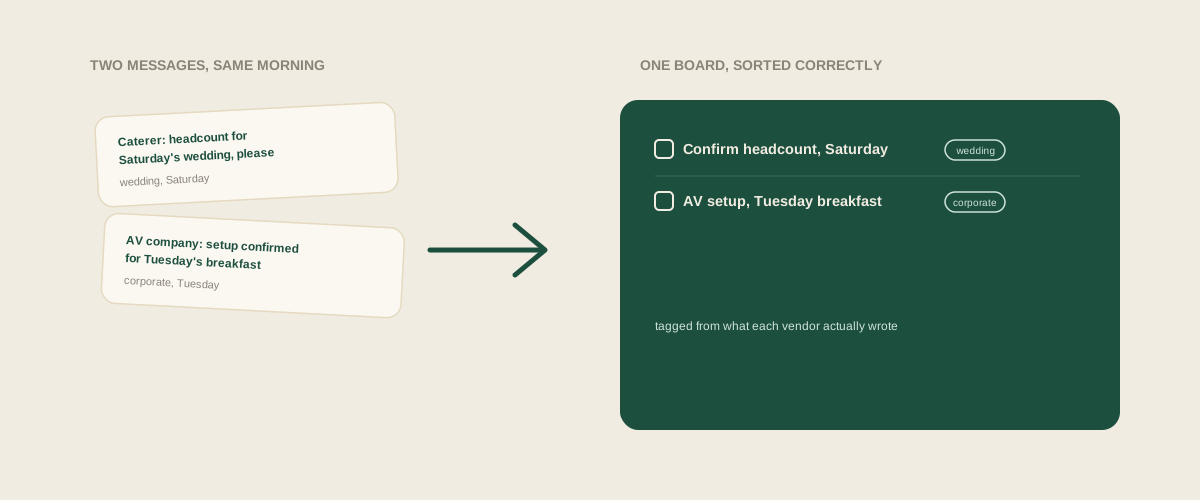
Even the tagged-board approach usually asks a person to remember which event a task belongs to at the moment they create it, which works until a rushed week makes remembering harder, several vendor messages for different events landing back to back with no obvious tag applied to any of them. The idea is right, one shared board, sorted correctly, but the actual sorting still rides on someone's attention in the exact moments attention is hardest to spare.
What removes the guesswork
The detail that actually identifies which event a message belongs to is almost always sitting in the message itself: the vendor, the date, the client's name, whether it reads like a wedding inquiry or a corporate booking confirmation. Forwarding the original message exactly as it arrived and letting that context get picked up automatically means the tag isn't something a rushed coordinator has to remember to add, it's already implied by what the vendor actually wrote, whether that vendor is confirming a wedding delivery or a Tuesday breakfast setup.
How to choose
A studio doing only the occasional non-wedding event alongside a busy wedding calendar can probably get away with one board and a little more care about labeling. Once private and corporate events become a real second line of business, not just an occasional extra, the studios that don't lose track of which vendor belongs to which event are usually the ones where every task lands correctly sorted the moment it's created, not the ones with the most disciplined manual tagging habit.
Frequently asked questions
Do corporate and private events actually need the same kind of vendor tracking as a wedding?
Mostly yes. Deposits, delivery windows, and headcounts show up in some form for almost any catered or vendor-staffed event, even when the planning runway is much shorter than a typical wedding's and the categories look a little different on paper.
What if the same vendor works both a wedding and a corporate event in the same week?
That's exactly the case a shared, tagged board is meant to catch. If both events sit in one place, a scheduling conflict or a delivery overlap for that vendor is visible at a glance, rather than hidden across two systems that never talk to each other.
Can a coordinator see only the events relevant to them if everything lives on one board?
Yes, as long as tasks are tagged consistently by event. Filtering down to one event or one client from a single shared board is a much smaller ask than maintaining two entirely separate systems just to get the same focused view.
Is it worth building a whole separate process for a studio that only takes on one or two non-wedding events a year?
Probably not. A single board with clear labeling is usually enough at that volume. The layered approaches, splitting by person or by system, start to matter once non-wedding events become frequent enough to regularly overlap with the wedding calendar.
Get your studio address, free
Get your studio address
