4 Ways Studios Keep Vendor Emergency Contacts Ready for the Wedding Day (And Where the Right Number Still Goes Missing)
20 October 2026 · 6 min read
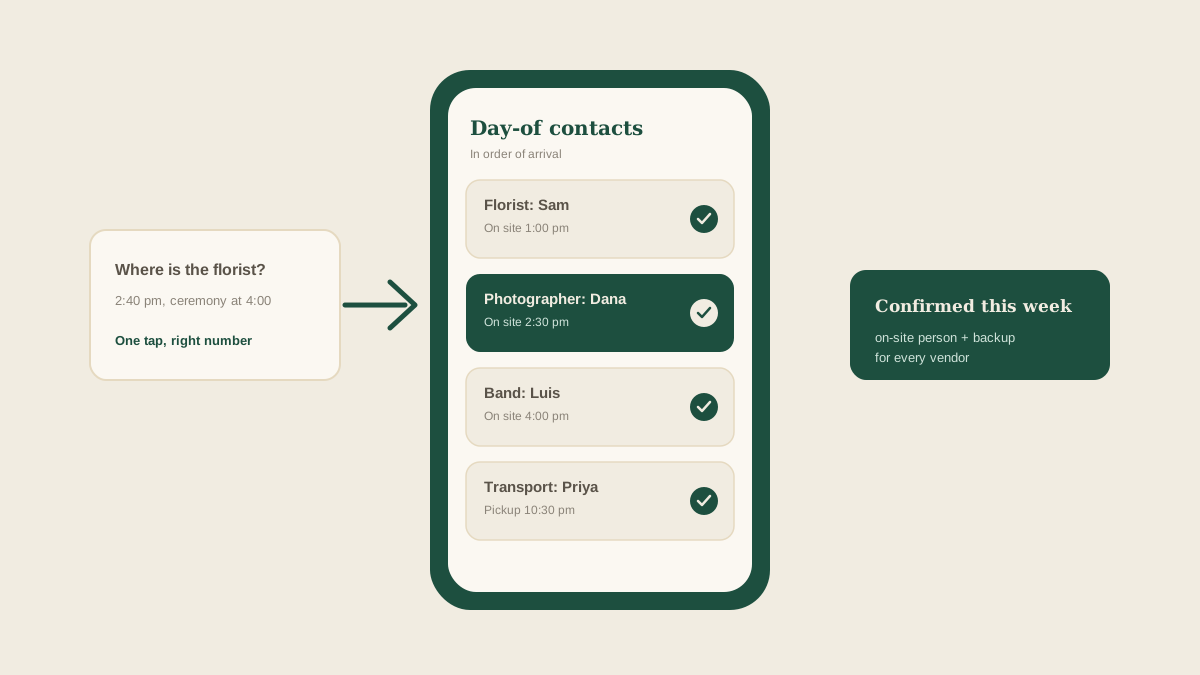
At 2:40 on a wedding afternoon, the florist has not arrived and the ceremony is at 4:00. You need to reach one specific person, right now, and the number you have might be the shop's front desk, which closed at noon. The driver's cell is somewhere in an email thread from March.
Day-of contact information is one of those details that every studio knows matters and almost none treat as a task. It gets gathered loosely over months, and then it is needed in a hurry, in a hallway, with a phone that has 11 percent battery.
Here are four ways studios commonly keep vendor emergency contacts ready, and the point where each tends to fail.
What a good day-of contact actually is
The number on the vendor's website or letterhead is rarely the number that helps on the day. What you need is the cell phone of the specific person who will be on site or driving the truck, plus a backup person at the vendor who can make decisions if that person cannot answer.
It also helps to know the vendor's own preferred channel. Some crews never pick up a call while driving but reply to a text in seconds. Others ignore texts entirely. That detail is worth a few words next to the number.
Way one: search your inbox when you need it
The default method is to dig through email or texts at the moment of need. The number is almost always somewhere, since the vendor signed off with it at some point.
Where it breaks: it works until the moment it matters most. Searching a crowded inbox with a ceremony clock running is slow, and the number you find is often the office line, an old contact, or the person who booked the job rather than the person on site.
Way two: a contact tab in the wedding spreadsheet
Many studios keep a tab with vendor names and numbers. It is shared, it is in one place, and anyone on the team can open it.
Where it breaks: it holds whatever was typed in once, and nothing checks it later. When a vendor changes who is working the event, the tab still shows the old person. Spreadsheets also open badly on a phone, which is the device you will actually be holding. And on a team with several weddings in a weekend, the right tab is easy to open by mistake.
Way three: a printed day-of sheet
A printed or PDF timeline with a contact list is the classic. It is easy to hand to a coordinator, it works when signal is poor, and it forces someone to compile the information before the event.
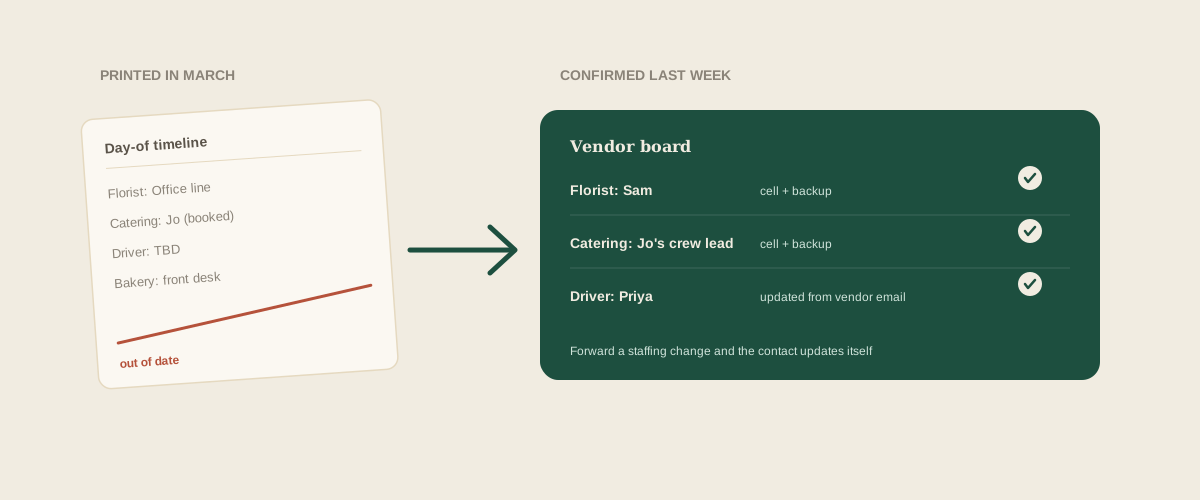
Where it breaks: it is a snapshot. The day it is printed is the day it starts going out of date, and a late change, such as a swapped delivery driver or a new assistant at the bakery, never makes it onto the paper. Teams also tend to print once, so the version in the planner's bag and the version on the coordinator's phone quietly disagree.
Way four: a shared board with a confirmed contact per vendor
The most dependable setup treats the day-of contact as a dated task on each wedding's shared board. For every vendor there is a named on-site person, a cell number, a backup, and a status showing when someone last confirmed it.
The confirmation step matters more than the list. A number that was verified last week is worth far more than one copied from a contract six months ago. A simple task, due about a week before the event, to confirm the on-site person and number with each vendor, catches nearly every stale contact.
Where it can break: only if the information goes stale between confirmations. That is the same weakness every list has, unless updates arrive on their own.
This is where forwarding helps. When a vendor emails to say their usual lead is out and a colleague will be handling the delivery, you forward the message to your studio address. Glaard reads it and updates that vendor's contact on the right wedding's board, so the team sees the new name and number without anyone retyping them.
Build the sheet backward from the timeline
Do not compile contacts alphabetically. Order them by when they matter. Start with whoever is first on site in the morning and finish with the late-night transport. If something goes wrong, you are usually looking for the contact of the person who is due next.
Next to each contact, add the vendor's arrival window and the task they are doing. That way a coordinator who has never met the vendor can still tell who to call and why.
Decide who is allowed to call whom
On a busy day, five people calling the same photographer is its own problem. Agree in advance who contacts which vendors. A common split is that the lead planner talks to the venue and the couple, while the coordinator on site handles every vendor arrival.
Write that assignment next to the contact list. When the lead planner is in the middle of a ceremony, nobody should have to wonder whether to make the call.
Share the contacts with the right people only
A day-of contact list holds private cell numbers. Share it with the team and with the venue contact, and keep it out of the client group chat. Vendors give out their personal numbers on the understanding that they will be used for logistics, and that trust is worth protecting.
Test the list before you need it
Once the list is confirmed, send each vendor a short message the day before: "Confirming your on-site contact tomorrow is Sam, at this number. Reply with any change." It doubles as an arrival reminder, and a reply tells you the number works.
Where to start
Pick your next wedding and look at the five vendors who matter most on the day. For each, ask whether you could reach the person actually on site within a minute. Wherever the answer is no, add a confirmation task to the board this week.
Frequently asked questions
How far ahead should we confirm vendor day-of contacts?
About a week before the event is a good rule, with a short reminder message the day before. That leaves time to fix a wrong number and still catches last-minute staffing changes.
Whose number should we collect from each vendor?
The cell phone of the person who will be on site or driving, plus a backup person who can make decisions. The office or booking line is rarely useful on the day.
Should the full contact list be shared with the client?
Usually not. Share the list with your team and the venue contact, and keep private vendor cell numbers out of client group chats.
How does Glaard keep day-of contacts current?
Forward vendor emails about staffing or contact changes to your studio address, and Glaard updates the matching vendor on that wedding's shared board so the team sees the current name and number.
Get your studio address, free
Get your studio address
