4 Ways Studios Handle the Vendor Group Text in Wedding Week (And Where a Decision Still Gets Buried)
29 October 2026 · 6 min read
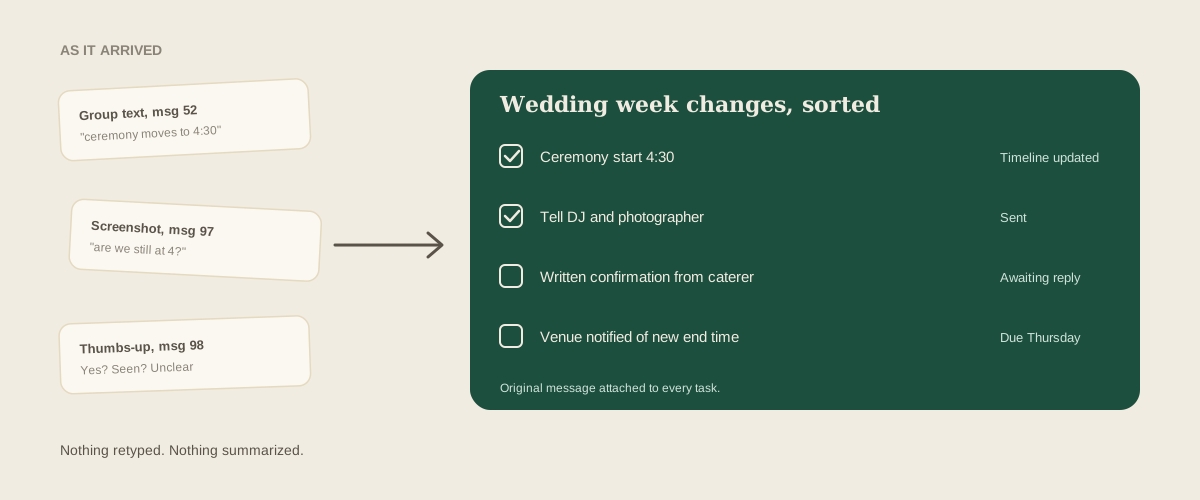
Wedding week is when the vendor group text wakes up. The planner creates it with good intentions: one thread with the photographer, the florist, the DJ, the caterer and the venue contact, so everyone can see the same updates. By Wednesday it has 140 messages, three thumbs-up reactions that might mean yes or might mean seen, and a decision about the ceremony start time that was made in message 52 and contradicted in message 97.
The group text is not the villain. Vendors like it, it is fast, and on the day itself it is often the best tool you have. The trouble is that a thread is a stream, and a wedding runs on facts: the final arrival time, the confirmed headcount, who is bringing the extension cords. Here are four ways studios handle the group text in wedding week, and where each one still lets a decision get buried.
1. Let the group text be the record
The simplest approach is to treat the thread as the source of truth. Everyone is in it, everyone can scroll up, and nobody has to learn another tool.
It holds for a small wedding with four vendors. It stops holding the moment two people give different answers. A vendor who joined late cannot see what was agreed before they were added. A decision made at 10 PM is invisible to the coordinator who muted the thread. And when the florist says the delivery was moved to 2 PM, there is no way to point at a line and say that is the confirmed version. Everyone remembers the thread differently, and nobody can prove it.
2. Have the planner post a recap every night
Many planners write a short summary at the end of each day: here is what was decided today, here is what is still open. It gives vendors a clean anchor point, and it forces the planner to notice open questions.
The cost is the planner's evening, during the week when they have the least of it. The recap is also written from memory and from skimming, so it reflects what the planner noticed, not everything that was said. A vendor's reply that arrived while the planner was typing the recap is missing from it. And the recap itself becomes message 120 in the same thread, so the next vendor to scroll for it has to find it first.
3. Move decisions out of the group text and into a shared document
Some studios keep a live day-of document and ask vendors to treat it as the truth: the thread is for chatting, the document is for facts. When a decision lands in the thread, the coordinator copies it across.
This is the right instinct, but it depends on the copying. The same quiet hour that never arrives for retyping client lists never arrives in wedding week either. The document drifts behind the thread by a day, then two, and vendors learn that the document is stale, so they go back to trusting the thread. The coordinator who updates it carefully ends up being the only person who reads it.
4. Keep the group text, but forward what changes things to the studio
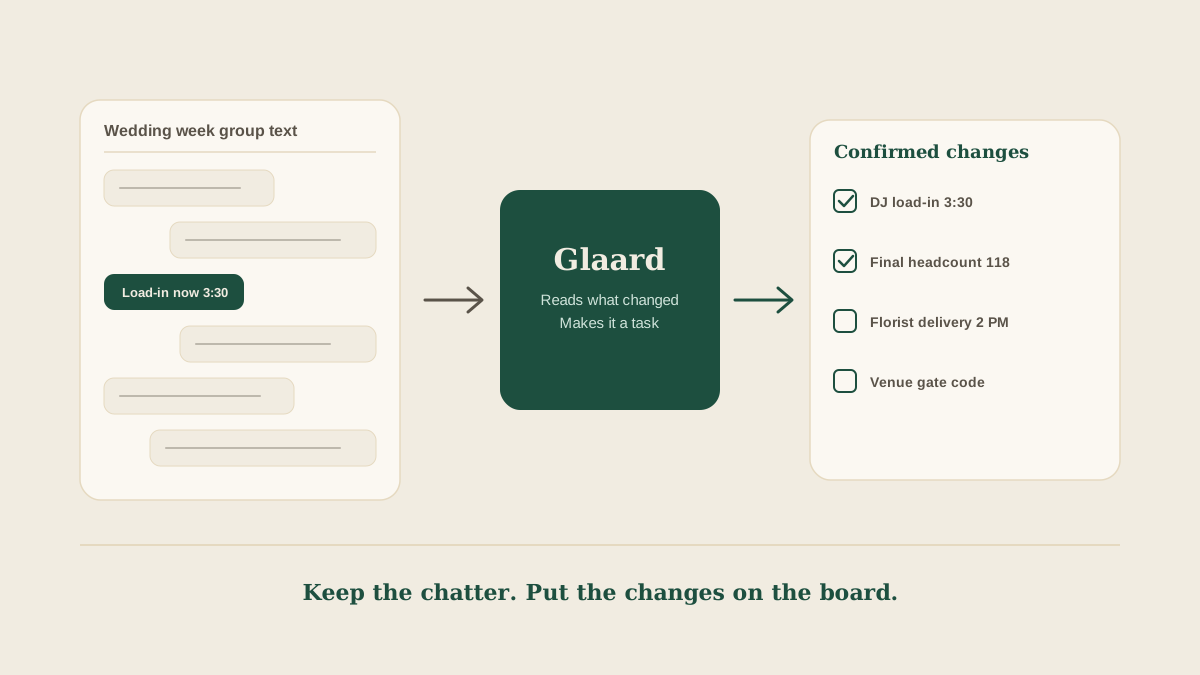
The fourth approach leaves the group text alone for what it is good at, quick chatter and day-of nudges, and routes anything that changes a plan through one shared place. When the DJ writes that load-in is now 3:30, the coordinator forwards that message, or a screenshot of it, exactly as it arrived to the studio's shared Glaard address. Glaard reads it and puts a task on the wedding's board: update the timeline with DJ load-in at 3:30, notify the venue, with the original message attached.
Now the change has an owner and a status instead of a position in a scroll. A second coordinator sees it without scrolling the thread, and the lead planner can check the board on Thursday night instead of reading 140 messages. Nobody types a summary of what the DJ said, so nothing gets shortened into something the DJ did not mean.
This approach has limits as well. Glaard only knows what gets forwarded, so a decision that nobody forwards stays in the thread. A task marked done on the board does not prove the vendor read the update, so for anything with consequences, such as a changed arrival time, ask the vendor to reply with a confirmation and forward that reply too.
A simple rule for wedding week
Whatever method you use, agree on one sentence with your team before the week starts: if it changes a time, a count, a location or who is responsible, it goes on the board. Everything else can stay in the thread. That one rule keeps the group text useful without asking it to carry things it was never built to carry.
Where to start
Open the group text for your next wedding and scroll back one week. Write down every message that changed a time, a headcount or a responsibility. Then check how many of those you could find in your timeline or task list today. The gap between the two is what the thread is currently holding for you.
Frequently asked questions
Should we stop using the vendor group text in wedding week?
No. It is good for quick questions and day-of nudges. Just do not rely on it as the only record of anything that changes a time, a count, a location or who is responsible.
What should go on the board instead of staying in the thread?
Any decision a vendor could act on wrongly: arrival and load-in times, final headcounts, delivery windows, setup changes, and who owns each open item. Chatter and thanks can stay in the thread.
Can I forward a screenshot of a group text message?
Yes. Forward the screenshot as it is to your studio address. Glaard reads the image and pulls out the task, with the original attached so anyone can check the exact wording.
How do I know a vendor has seen an update?
A thumbs-up in a thread is not confirmation. Ask for a written reply that restates the new time or count, and forward that reply to the studio address so it sits on the board next to the original change.
Get your studio address, free
Get your studio address
