How to Update Every Vendor When the Venue Changes Without Missing One
24 September 2026 · 6 min read
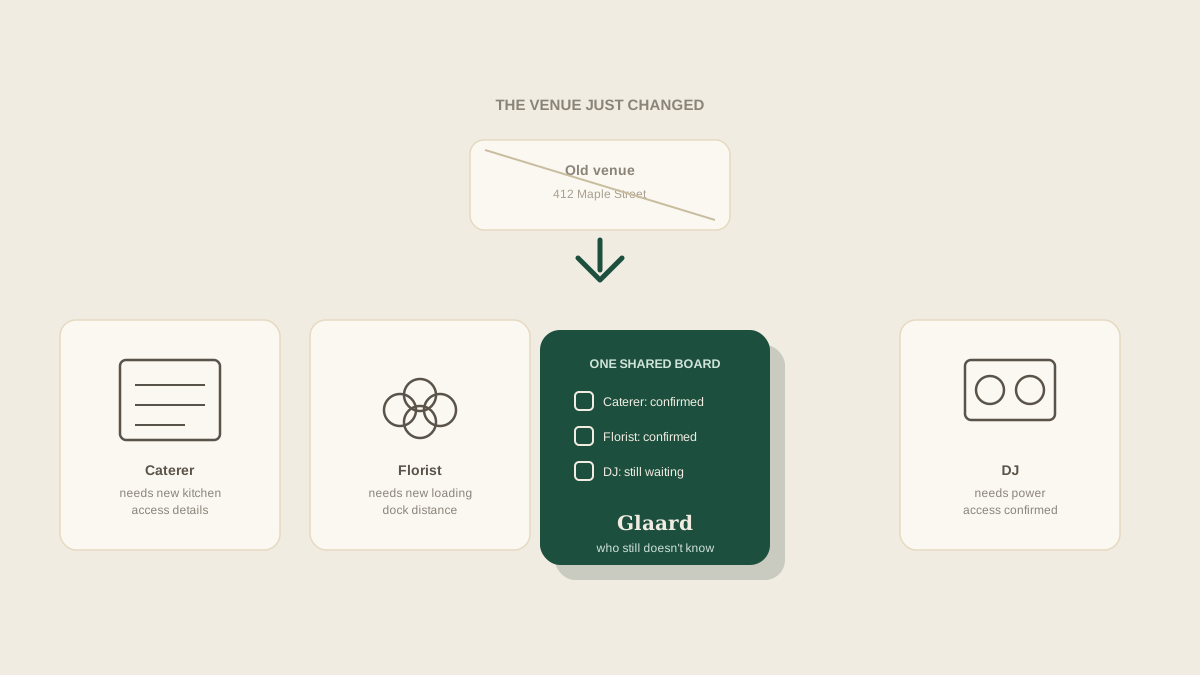
A venue change lands differently depending on why it happens: a backup site because of weather, a permit that fell through, a couple who simply changed their minds three weeks out. Whatever the cause, the studio's first instinct is usually to send one group message with the new address and move on. That message answers the question of where, but almost none of the vendors actually needed just that. Each one needed a slightly different update, and a single blast rarely reaches all of them the way it needs to.
A venue change is not one announcement, it is ten
The caterer needs to know whether the new kitchen has the equipment they were counting on, and if not, what they have to bring instead. The florist needs a new loading dock and a new estimate of how far it is from the truck to the ceremony space. The DJ needs to know whether the new site even has the power access the old one did. The photographer mostly just needs the address and maybe a note about new lighting conditions. Treating all of that as one message means either sending something too generic to be useful, or writing ten separate messages and hoping none of them get missed in the process.
The vendors who find out last
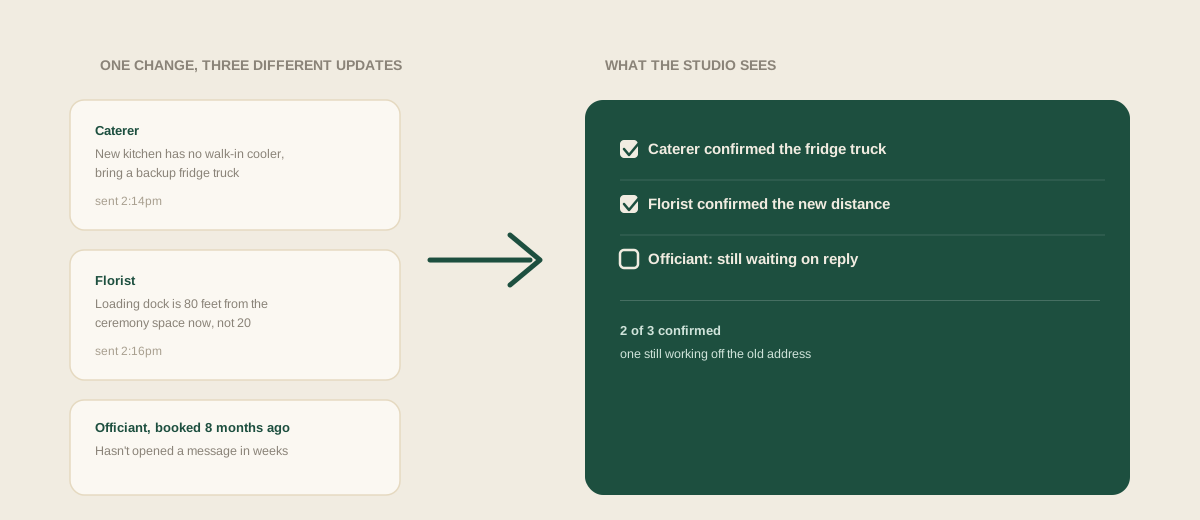
The vendors booked earliest in the process are often the ones most likely to get skipped when a change happens later, simply because they are not top of mind anymore. An officiant booked eight months ago, a rental company the caterer subcontracted without the studio ever speaking to them directly, a hair and makeup artist the couple found on their own: none of them are wrong to expect the same update everyone else gets, but they are the easiest ones to forget precisely because they have not come up in a planning conversation in weeks.
Why a single group text doesn't confirm anything
Sending a message is not the same as knowing it landed. A group text tells you it was delivered, not that the florist read past the first line before heading out with a delivery already loaded for the old address. Vendors are busy with other events the same week, and a message buried in a thread with six other vendors on it is easy to skim and misread. What actually matters is not whether the update went out, it is whether each vendor's specific piece of it got confirmed back, and a group thread makes that almost impossible to track at a glance.
What changes besides the address
The address is the easy part. A venue change usually also means a different load-in time if the new site has a tighter turnaround with another event, different parking or drop-off instructions, a new point of contact if the studio has not worked with this venue before, and sometimes a different permit situation entirely if the new location requires its own paperwork. A studio that only updates the address and assumes the rest carries over is setting up a vendor to show up at the right building with the wrong assumptions about everything around it.
Common mistakes
Sending one generic update and assuming every vendor will extract the part relevant to them. Updating the vendors currently active in planning conversations while forgetting the ones booked months ago who have gone quiet since. Treating delivery of a message as confirmation that a vendor actually adjusted their plans around it. Updating the address without touching the load-in time, parking, or permit details that changed along with it.
Where to start
When a venue changes, the fix is not writing a better group message, it is getting the change onto one shared board where each vendor's specific update, address, load-in time, parking, kitchen access, whatever applies to them, sits next to their name and gets checked off as confirmed. That way the studio can see at a glance which vendors still do not know, instead of assuming a single message reached everyone the same way.
Frequently asked questions
How far out does a venue change usually happen, and does that matter?
It can happen anywhere from months out to the week of, and the timing changes how much room there is to catch a missed vendor. A change with months of runway gives a studio time to notice a gap; a change days before the event means every vendor needs to confirm quickly, which is exactly when a scattered group text is most likely to leave someone behind.
Do vendors the couple booked directly need the same update as vendors the studio booked?
Yes. A vendor's need to know the new address and load-in details does not depend on who signed their contract. If the studio is coordinating the event, every vendor working it needs to land on the same shared update, regardless of who originally booked them.
Is it enough to update the vendors who are already asking questions about the new venue?
No, and this is usually where a vendor gets missed. The vendors asking questions are already paying attention. The ones who go quiet, often because they were booked early and have not been part of recent planning conversations, are the ones most likely to still be working off the old address.
What is the minimum information every vendor needs after a venue change, even if nothing else about their role changes?
At minimum: the new address, the new load-in or arrival time if it shifted, and parking or drop-off instructions. Even a vendor whose actual job does not change, like a photographer, still needs those basics confirmed rather than assumed.
Get your studio address, free
Get your studio address
