How to Track Vendor Parking, Gate Codes and Access Passes Before the Truck Pulls Up
15 October 2026 · 6 min read
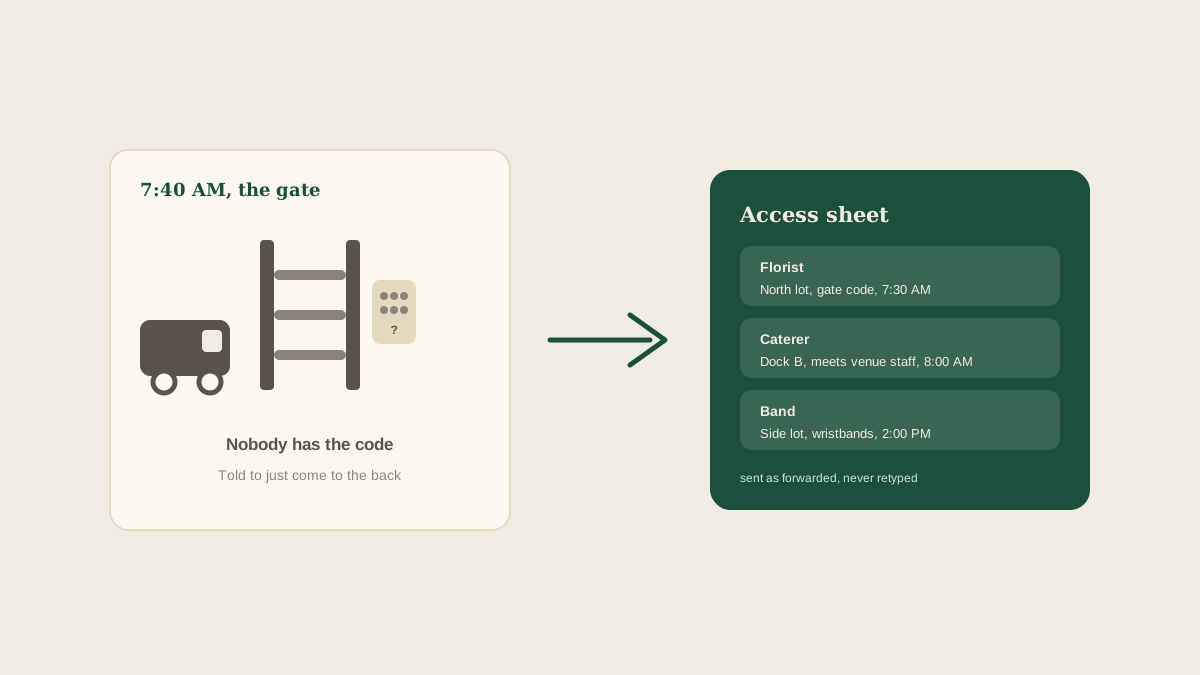
The most common wedding-day delay has nothing to do with flowers, food or music. It is a van idling at a locked gate at 7:40 AM, with a driver who was told "just come to the back" and a planner who is across the property trying to find out which back. Access problems are small, cheap to prevent, and very expensive when they happen at the wrong moment.
The trouble is that parking and access details are scattered by nature. The gate code comes from the venue manager in one email. The loading dock rules are in a PDF. The caterer asks about truck length in a text. The photographer mentions a second shooter who will need a spot. Here is how to pull all of it into one place before the day arrives.
Why access details slip through
Parking and entry information has no natural owner. It is not a payment, so it never shows up on an invoice. It is not part of the design, so the client never asks about it. It lives with the venue, and the venue tells you once, usually in a long welcome email that also covers noise limits, insurance and the cake table.
It also changes. A gate code gets reset after a staff change. A neighboring event takes over the lot. A road closure for a local race moves the delivery route. The version of the details you received in March may not be the version that is true in June.
Collect the same five facts for every vendor
Instead of asking each vendor open questions, ask for the same short list every time. For each vendor, you want: how many vehicles are coming and how large they are, where each one parks or unloads, how they get through the gate or door (code, wristband, name on a list, or a person who meets them), what time they are allowed to arrive, and who on their side is the contact if something goes wrong at the entrance.
That list is deliberately boring. A caterer with a 26-foot truck, a florist with a sprinter van and a photographer with a single car have very different needs, and you only learn that by asking. Two questions that often get skipped: where does the vehicle go after unloading, and does anyone need to be let back in later for a second trip?
Send the venue's answers, not your paraphrase
When a vendor asks where to park, the temptation is to type a quick reply from memory. Resist it. The venue's own wording is the source of truth, and a paraphrase adds one more place for a mistake to enter. "Use the north lot" and "use the lot north of the barn" can describe two different places.
This is where forwarding helps. When the venue's access email or PDF arrives, forward it exactly as it is to your studio address. Glaard reads it and pulls out the parts that matter, such as the gate code, the dock hours and the parking zone, and attaches them to the right wedding as tasks and notes, with the original message linked. Nobody retypes it, and nobody has to remember which email had the code.
Build one access sheet per event
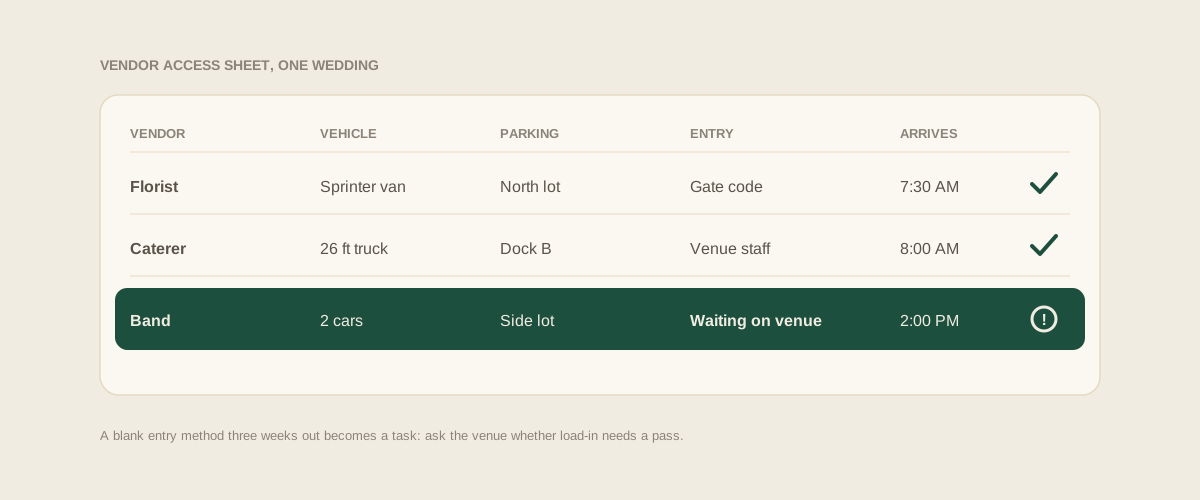
Once the details are collected, the useful format is a single sheet per wedding, one row per vendor. Vehicle, parking zone, entry method, arrival window and entrance contact. Anyone on the team should be able to open it at 7 AM and answer "where does the rental company go?" without calling anyone.
A row that has a blank is information too. If the band's entry method is empty three weeks out, that is a task: ask the venue whether load-in needs a pass. A shared board makes the blanks visible, which a pile of emails never does.
Watch the things that expire or change
Some access details have a shelf life. Temporary gate codes are often issued only a few days before the event. Parking passes may be limited, so the first vendors to ask get them and the last do not. Guest parking and vendor parking can overlap, which becomes a problem when the ceremony starts and the lot fills up.
For each of these, add a dated task: "Confirm gate code with venue, Wednesday before." "Count parking passes against vendor vehicles." "Confirm vendor lot is separate from guest lot." These are the checks that catch a surprise while there is still time to solve it.
Send each vendor only what they need
A single long message to everyone buries the one line each vendor actually needs. The photographer does not need the dock rules, and the caterer does not need the guest parking map. Send each vendor a short message with their own arrival time, their own parking spot, their own entry method and their own entrance contact, and ask for a quick reply to confirm.
The reply matters. A confirmed message is a task that can be checked off. An unanswered one stays visible on the board until someone follows up, which is exactly the point.
Put the sheet in the day-of coordinator's hands
The person standing at the entrance on the wedding morning is rarely the person who collected the details. Make sure the day-of coordinator, or whoever is covering arrivals, can see the same access sheet, including the venue contact and each vendor's entrance contact. If they are working from a forwarded thread of forty messages, details will be missed.
Also agree who handles a problem at the gate. When a vendor calls to say the code does not work, the answer should already be written down: call the venue manager first, then the backup contact, then you. Decide that in advance, and the delay becomes five minutes instead of forty.
Where to start
Pick your next wedding and write down the five facts for just the three biggest vehicles, usually the caterer, the rentals and the florist. Check each against the venue's latest email. If any of the answers is "I think" or "I assume", you have found the part worth fixing before the day arrives.
Frequently asked questions
When should I ask vendors about parking and access?
Ask when they are confirmed, and again about two weeks before the event. The first round catches vehicle sizes and special needs, and the second catches changes at the venue, like a reset gate code or a lot that is no longer available.
What if the venue does not give out a gate code until the last minute?
Add a dated task to request it a few days before, and tell vendors when to expect it. Until it arrives, record the entrance contact so an arriving driver has a person to call.
Do photographers and musicians need parking details too?
Yes. A single car is easy to forget, and so are second shooters and band members who arrive separately. Collect a vehicle count from every vendor, not just the ones with trucks.
Who should hold the gate code on the wedding day?
Anyone covering arrivals should be able to see it on the shared board, not only the lead planner. If the code lives in one person's inbox, a missed call at 7 AM becomes a delay for every vendor.
Get your studio address, free
Get your studio address
